
Step 1: Download the Preconfigured Client
Windows
Download for WindowsmacOS
Download for macOSUbuntu (x86_64)
Download for UbuntuLinux ARM64
Download for ARM64Android
Download for AndroidiOS
Download for iOSPrefer to Manually Configure?
You can download the official RustDesk client from their website. Note that you will need to configure the relay and ID server settings manually in order to connect to us.
Visit rustdesk.com/downloadStep 2: Gather Your RustDesk Info
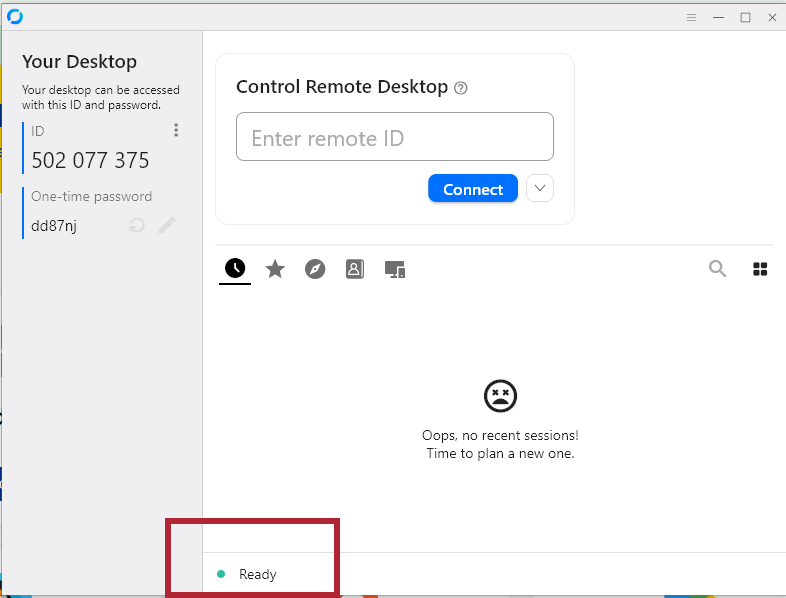
Once RustDesk says "Ready", you're all set to request help.
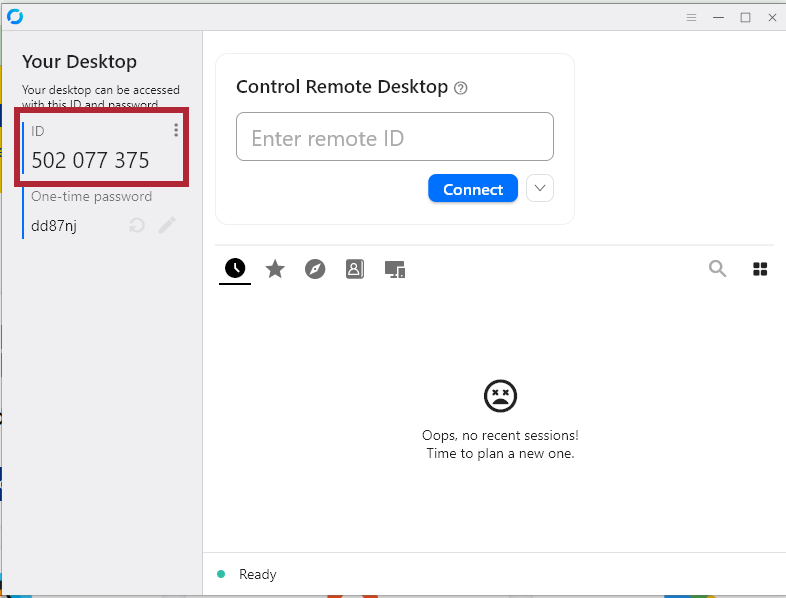
This is your RustDesk ID. Enter it in the form below.
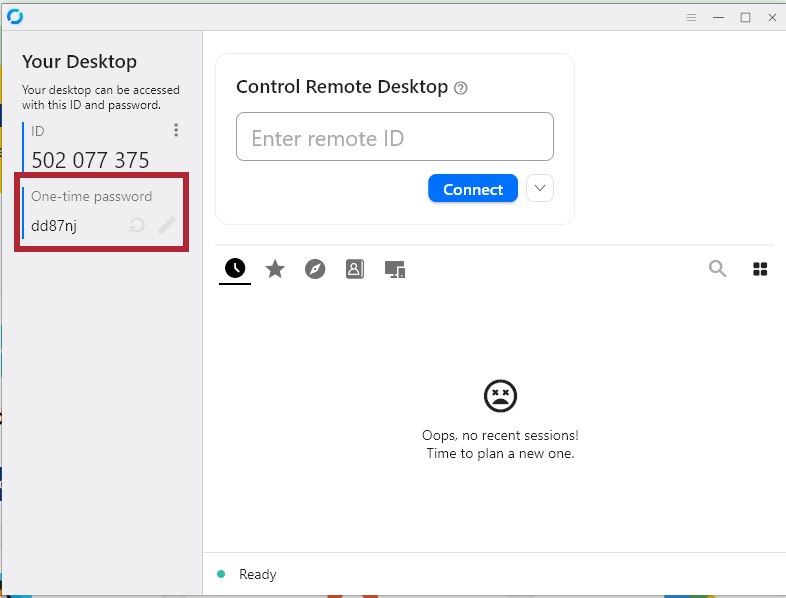
This is the one-time password needed to connect. Enter it in the form below.
If you're having trouble getting RustDesk to launch or connect, click here for troubleshooting instructions.